

Anatomy
Every declared node must be connected by an edge. A node that nothing leads to and that leads nowhere is rejected as an orphan.
Inline and referenced agents
You can define an agent inline, as above, with the same keys as a standalone agent plusinput_filter.
Referencing saved agents
You can also reuse an agent saved in the app by writing only itsnamespace/name:
- Edges,
startandenduse the full reference (support/support-triage). Add@<version>to pin a version (support/support-triage@3); without it the agent’s current version is used. - The agent’s output is stored under the name in the agent’s own YAML (
agent.name, heresupport-triage). Downstream nodes select it withinput_filter: [support-triage], not with the reference. See Passing data between nodes.
Creating a workflow
- Console
- API
Go to Workflows → Create Workflow, enter a Workflow ID and a Namespace, paste the YAML and click Create Workflow. The YAML is checked when you save: invalid structure, orphan nodes or unknown references are rejected, for now with a generic error message (#450).
Running a workflow
In the console, open the workflow. Its YAML is on the left and a chat panel on the right: type the input in Ask anything, add variables with + → Add variables, attach images or documents with +, and send. Turn on JSON output to pretty-print the result.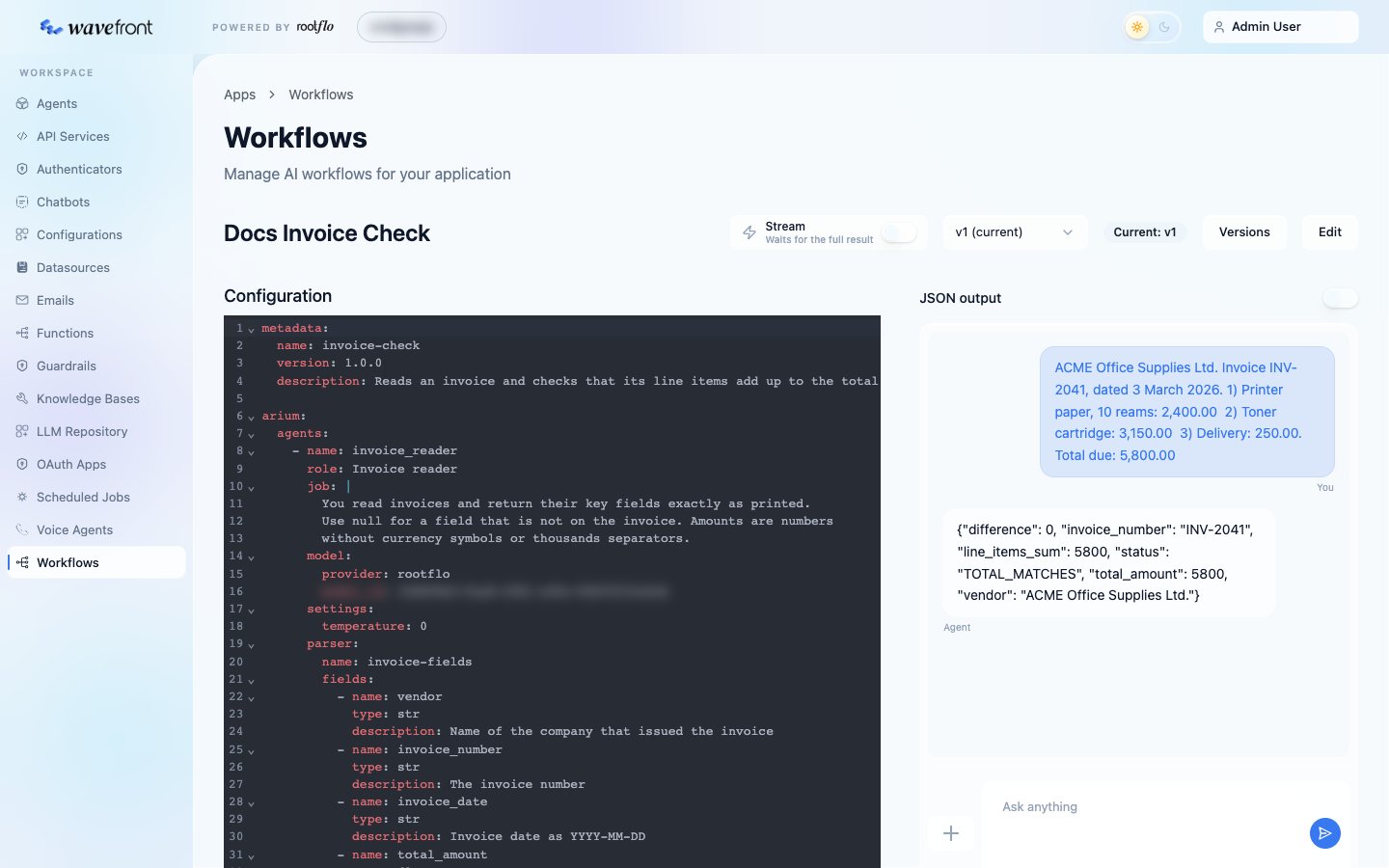
Add
?version=<n> to run a specific version instead of the current one, which is useful for trying a new version before making it current.
Long workflows can also run in the background; see Running workflows.
Other routes
Rules worth knowing
One node at a time
Workflows run sequentially; how memory and the output work.
Data between nodes
input_filter, node_outputs and variables.Sub-workflows
Keep each agent’s context small.
Troubleshooting
Validation errors, orphan nodes, variables and other common surprises.